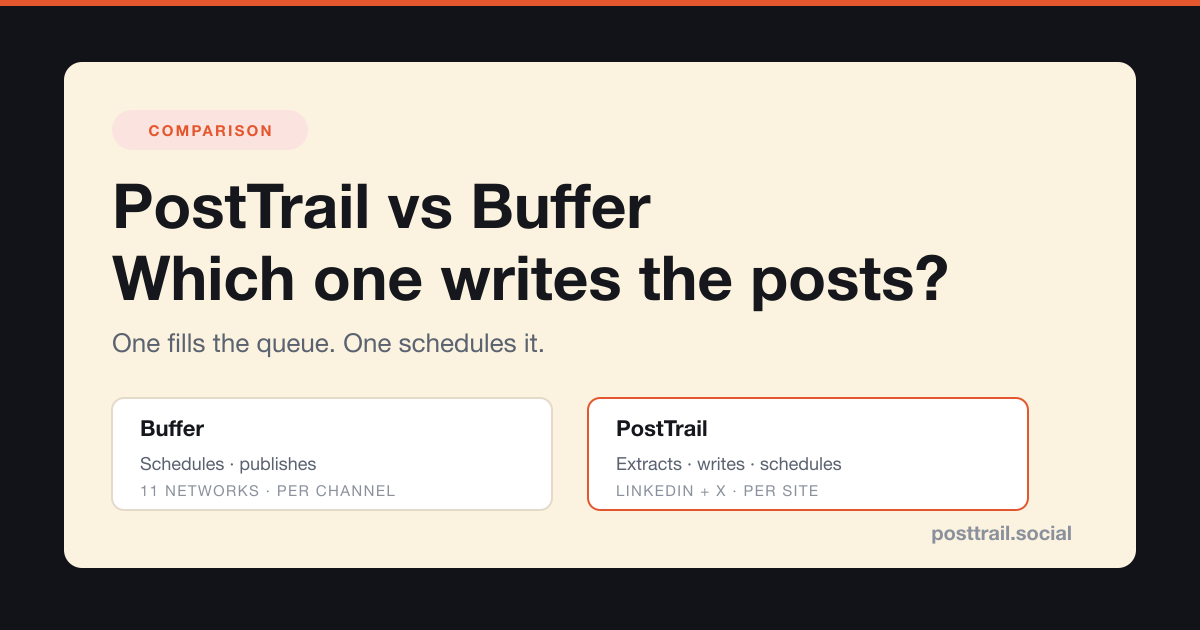
Short answer: Buffer is a scheduler and PostTrail is a writer that also schedules, so the honest question is not which tool is better but which job you are stuck on. If you already have the posts written and just need them queued, Buffer does that job well and costs less than we do — two channels on Buffer Essentials is $12 a month against our $19. If the posts do not exist because writing them is the part you never get to, a scheduler cannot help you, because an empty queue is not a scheduling problem. Pick by which half of the work is missing.
Comparison pages written by one of the two vendors are usually worthless, and you already know why: the feature table is built so that one column wins. So here is the deal for this page. Every Buffer price and limit below was read off Buffer’s own pricing page on 6 September 2026 and is quoted, not paraphrased. Where Buffer is cheaper than us, the page says so and shows the arithmetic. Where our own marketing overstates what our product does, the page says that too, with the number we actually measured.
If you want the wider field rather than a head-to-head, we compared seven Buffer alternatives by what each one actually automates — this page is the narrow version of that question.
What is the actual difference between PostTrail and Buffer?
Getting a blog post onto social media is four separate jobs, and almost every argument about these tools is really an argument about which of the four you are counting.
- Extraction — deciding which ideas inside the post are worth a post of their own.
- Drafting — writing each one in the shape of the platform it is going to.
- Scheduling — deciding when each one goes out.
- Publishing — the thing actually appearing on LinkedIn or X at that time.
Buffer owns jobs three and four completely. That is what it was built for and it is very good at it. Buffer’s AI Assistant touches job two — Buffer describes it as help to “brainstorm ideas, rewrite content, and craft platform-specific posts” — but it works the way every compose-box assistant works: you are in the box, you have already decided what this post is about, and it helps you say it better. Job one, deciding what the posts should be, is yours.
PostTrail starts at job one. You give it the URL of something you already published; it reads the post, picks out the distinct ideas, and drafts each one into a format native to its destination — 14 posts, 6 for LinkedIn and 8 for X, across nine formats. Then it schedules and publishes them.
The nine formats it drafts into are hot takes, value threads, frameworks, stories, data posts, carousels, stat posts, mistakes threads and unpopular opinions. That list matters more than it looks, because it is the part people skip when they repurpose by hand. Left to ourselves we write the same shape every time — a summary with a link — and a feed rewards a claim, a story and a list very differently. Choosing a format is a decision, and it is one most manual repurposing quietly never makes.
So the difference is not a feature. It is where the tool joins the process. Buffer joins after you have written; PostTrail joins after you have published.
Who writes the posts in each tool?
In Buffer, you do. That sounds like criticism and it is not — it is the design. A scheduler that wrote your posts for you would be a different product, and plenty of people want exactly what Buffer is: a reliable queue that does not editorialise. If you have a writer, or you are one and you enjoy the drafting, the blank compose box is a feature.
In PostTrail, the first draft is the machine’s and the final call is yours. It generates from your published text, so it has your claims, your examples and your numbers to work from rather than a blank page — which is the entire reason its output does not read like generic AI copy. Nothing publishes until you approve it.
Concretely, take a paragraph from a post about pricing that reads: we raised our price 40% and lost four customers, and revenue went up. In Buffer you open the compose box and face the decision of what to do with that — is it a hot take about pricing, a story about the four who left, or a data post about the arithmetic? Three good posts are in there and the box does not tell you so. Extraction is the act of noticing all three. That is the job that happens before drafting, it is invisible in every feature comparison, and it is the one that gets skipped at 9pm on a Sunday.
The practical consequence shows up in the failure mode, not the feature list. The way Buffer fails is an empty queue: you meant to write six posts on Sunday, life happened, and the schedule has nothing to fire. The way PostTrail fails is a draft you do not like: it is there, it is wrong, and you fix or delete it. If you have ever paid for a scheduler for three months and posted four times, you already know which failure you are prone to.
What does each one cost for a solo blogger on LinkedIn and X?
This is the section where a vendor comparison normally cheats, so here is the arithmetic in full. On Buffer, a channel is one connected social account, so LinkedIn plus X is two channels.
| Plan | Cost for LinkedIn + X | What you get |
|---|---|---|
| Buffer Free | $0 | Up to 3 channels, 10 scheduled posts per channel, 100 ideas, 1 user |
| Buffer Essentials | $12/mo | $6 per channel × 2 on monthly billing ($5 per channel billed yearly); unlimited scheduled posts |
| Buffer Team | $24/mo | $12 per channel × 2 on monthly billing ($10 billed yearly); unlimited team members |
| PostTrail Free | $0 | 1 site, 2 calendars per month, 1 user |
| PostTrail Starter | $19/mo | 3 sites, 25 calendars per month, 3 users |
Buffer figures read from buffer.com/pricing on 6 September 2026 and corrected to monthly billing on 24 September 2026; the $5 and $10 per-channel rates are Buffer’s yearly-billing prices.
The table above is not complete without one more line about our own price. Buffer’s $12 is the entire bill. Our $19 is not: PostTrail plans exclude AI model costs, because you connect your own Anthropic API key and pay for the tokens you use directly. That is our published pricing model rather than a surcharge disclosed late — but a comparison page that prints $12 beside $19 and says nothing about it is quietly flattering us. The honest version for two channels is Buffer at $12 all-in against PostTrail at $19 plus whatever your own key costs to run, which makes the gap below wider than the table shows, in Buffer’s favour.
Buffer is cheaper than us for this scenario, and it is not close. Ten dollars against nineteen for the same two channels. And Buffer’s free plan is genuinely usable for a solo blogger: three channels at ten scheduled posts each is thirty posts a month, which is more than most people who publish weekly will ever queue.
Our free tier is two calendars a month — around 28 drafted posts — which lands in a similar place from the other direction. The useful conclusion is that price should not decide this. A ten-dollar gap is not a business decision; it is a coffee. What you are choosing between is a cheaper tool that leaves the writing with you and a slightly dearer one that does the first draft.
Which platforms does each one publish to?
Buffer lists eleven: Instagram, Facebook, TikTok, LinkedIn, X, YouTube, Threads, Pinterest, Google Business Profile, Bluesky and Mastodon.
PostTrail publishes to two: LinkedIn and X.
If Instagram or TikTok is where your audience is, stop reading — this comparison is already over and Buffer wins it on coverage alone. We built for LinkedIn and X because they are the two platforms where a written idea is the unit of content, which is what a blog post can actually be turned into. A blog post does not become a Reel without someone filming something, and we would rather not pretend otherwise.
The corollary is that the two tools are not mutually exclusive, and plenty of people should run both: PostTrail for the written channels it drafts for, Buffer for the visual channels it queues.
How long does each one take on a Tuesday morning?
Timings from our own use, not a benchmark — treat them as the order of magnitude, not the number.
With a scheduler. When we did the extraction and drafting pass by hand for our newsletter-to-social essay, reading the piece back, pulling out what could stand alone and rebuilding each one for its platform took about 25 minutes. Queueing the results afterwards took under five. The scheduling was never the slow part. It never is.
With PostTrail. Paste the URL, wait for the drafts, then read all fourteen and decide. Budget ten to fifteen minutes for that review, and do not skip it — the fourteen are drafts, not output. Roughly you are trading a writing task for an editing task, and most people are faster and more willing editors than writers, which is the whole bet the product makes.
If you would rather do the pass by hand, the method is written up in full in the repurposing playbook and, platform by platform, in the LinkedIn method and the X thread template. Those pages are free and they do not require our product. If reading them and doing it yourself works, do that — it is genuinely the cheapest option on this page.
When is Buffer the better choice?
Often, and here are the cases plainly.
- You post to more than LinkedIn and X. Coverage decides it. Nothing else on this page matters.
- You do not blog. PostTrail needs something published to work from. No source, no product. If your social content originates as social content, a scheduler is the correct tool and we are not a candidate.
- You already write your posts and enjoy it. Then drafting is not your bottleneck, and paying for a first draft you will rewrite anyway is paying for nothing.
- You need a shared queue with approvals across a team. Buffer Team is built for that at $12 per channel on monthly billing, with unlimited members.
- You want the cheapest reliable queue. Free for three channels, ten posts each, is hard to beat and does not expire.
What we would not claim about PostTrail
The honest limits, including one our own marketing gets wrong.
Fourteen is the ceiling, not the yield. Our landing page says one blog post becomes 14 social posts. When we ran that extraction by hand on one of our own essays and counted strictly, we got about eight things worth posting — two or three defendable claims and four to six concrete details. The other six are reachable, but they are reached by splitting an idea thinner than it wants to go. Judge any repurposing tool, ours included, on how many of its outputs you would actually send, not on how many it produces.
It is not hands-off. “Automatic” describes the drafting and the publishing, not the judgement in between. You read fourteen drafts and approve them. A tool that posted to your professional network without you reading it first would be a liability, not a feature.
Two channels is a real limitation, not a focus story we tell to make a gap sound deliberate. It is deliberate, and it is still a gap.
We are early. We have a couple of external users, not a case-study library, and this page is not going to invent one. Buffer has been running for over a decade and has the reliability record that comes with that. If proven-at-scale matters more to you than the drafting, that is a legitimate reason to choose them.
So which one should you pick?
One question decides it: when your posting schedule slips, is it because you did not queue the posts, or because you never wrote them?
If the answer is queueing, buy Buffer. It is cheaper, it covers nine more platforms, and it will fix your problem entirely.
If the answer is writing — if there is a blog with real posts in it and a social presence that has not been touched since March — a scheduler will not help, because the missing input is the drafts, and that is the part PostTrail exists to produce. You can try it free on one site with no card, drop in a post you already published, and see what comes back. If the drafts are not good enough to send, you will know in ten minutes and you will have lost nothing.
And if neither answer fits because what you actually need is a distribution habit rather than a tool, start with the 30-minute system we use after every post.
Frequently asked questions
Can I use PostTrail and Buffer together?
Yes, and for anyone posting beyond LinkedIn and X that is probably the right setup. PostTrail drafts and publishes the written channels; Buffer queues the visual ones it covers and we do not. There is no integration between them — you are simply running two tools for two jobs, which is normal.
Does Buffer write posts from a blog URL?
Not in the way this page means. Buffer’s AI Assistant helps you create, refine and repurpose content from inside the compose box — you bring the idea and it helps you shape it. What it does not do is take a published URL and decide on its own which ideas in the piece deserve posts. That extraction step is the difference between the two products, and it is the step most people are actually stuck on.
Is PostTrail cheaper than Buffer?
No, not for LinkedIn and X. Buffer Essentials is $6 per channel on monthly billing, so two channels is $12 a month against PostTrail Starter at $19. Both have free tiers a solo blogger can genuinely work within. If cost is the deciding factor, Buffer wins; the case for PostTrail is that it does a job Buffer does not, not that it does the same job for less. One thing the raw numbers hide: Buffer’s $12 is the whole bill, and our $19 is not. PostTrail plans exclude AI model costs, because you connect your own Anthropic API key and pay for the tokens you use. That widens the gap in Buffer’s favour rather than narrowing it.
What happens to the posts if I cancel?
Anything already published stays published — posts live on LinkedIn and X, not inside the tool, so they are not ours to take back. This is worth asking any tool in this category before you commit, ours included.